
Install the Downloader App
-
Follow these steps to install and configure the Downloader App to use WowTV
1. Select the FIND or search option in the middle bar on the FireStick home screen. Then click Search. (If you already have the “Downloader” app installed skip this step)

-
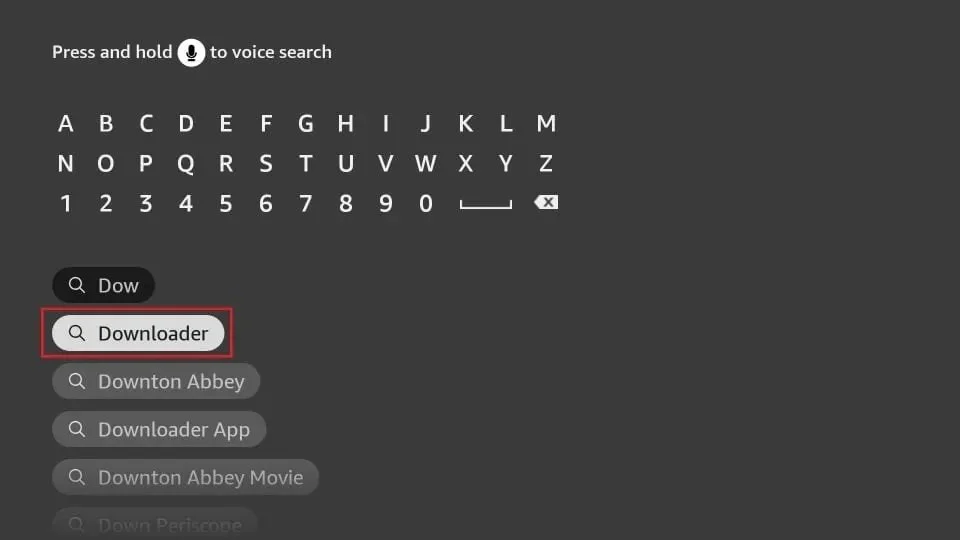
2. Now, search and click the Downloader app in the search results.
-
3. Select the Downloader app

-
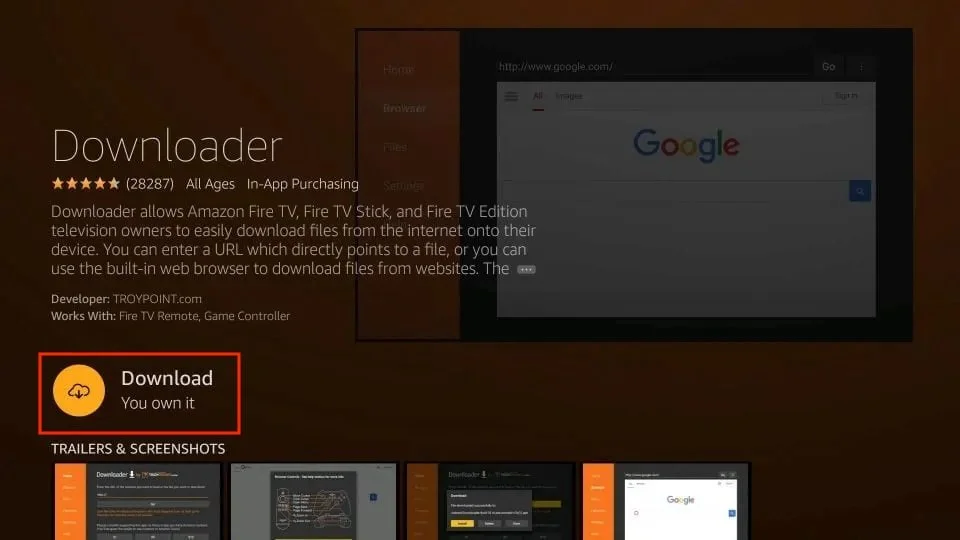
4. Click Download. Once you have downloaded and installed the Downloader app on your Fire TV or Fire Stick, we are just a few steps away from installing WowTV.
-
5. Select Open

-
6. Select Allow when prompted

-
7. Select OK if you see this

-
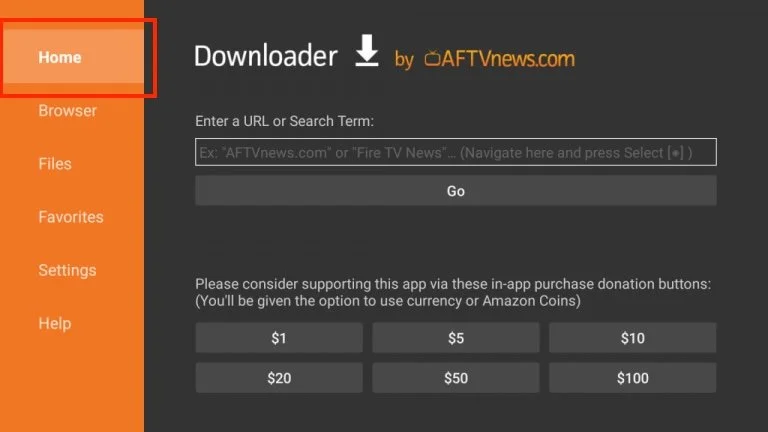
8. Select Home Tab from the left pane
-
9. In Downloader URL Field type https://www.wowtv.sx/i18n/WowTV_T5.apk then press go to start the download of the WowTV app
Or instead of putting the link in their you can enter the code 5109731 and it will downloaded the WowTV App. It is fast to just enter the code.
